Estimated reading time: 4 minutes
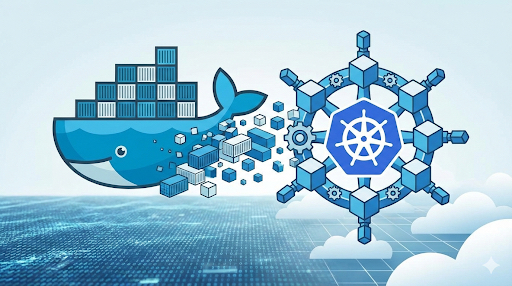
Developers often use Docker commands to build, run, and inspect containers locally. In Kubernetes, you typically manage Pods, Deployments, and Services using kubectl (and/or YAML manifests) via the API server. This guide maps common Docker CLI habits to their Kubernetes equivalents, then dives deeper into persistent storage: PV/PVC, dynamic provisioning, CSI, snapshots, access modes, quotas, and security contexts.
TL;DR
docker run→kubectl create deployment+ (optionally)kubectl exposeto publish a Service.- Inspect workloads with
kubectl get,kubectl describe, andkubectl logs. - For data persistence, define PVCs (and sometimes PVs) and rely on StorageClasses for dynamic provisioning. See: AWS Documentation
- Snapshots use
VolumeSnapshot*CRDs and work only with CSI drivers (plus the snapshot controller + sidecars). - Use ResourceQuota to cap PVC count and total requested storage per namespace.
Quick mapping table
| Docker | kubectl equivalent |
|---|---|
docker run … | kubectl create deployment … (+ kubectl expose …) |
docker ps | kubectl get pods (or kubectl get po) |
docker exec -ti … | kubectl exec -ti <pod> -- <cmd> |
docker logs -f … | kubectl logs -f <pod> (and --previous for last crash) |
docker stop + docker rm | `kubectl delete <pod |
kubectl for Docker Users: overview
- Docker CLI talks to the local Docker Engine / daemon.
- kubectl talks to the Kubernetes API server, which then drives scheduling and node-level actions.
- Note: Kubernetes removed the built-in dockershim integration; clusters typically use containerd / CRI-O (Docker Engine requires
cri-dockerdif used).
docker run vs kubectl
Docker
docker run -d --name webserver -p 80:80 nginx
Kubernetes (imperative)
kubectl create deployment webserver --image=nginx
kubectl expose deployment webserver --port=80 --name=webserver-http
This “Deployment + Service” approach is the canonical Kubernetes equivalent shown in the official mapping.
Practical note: --type=LoadBalancer only works if your cluster has a cloud/load-balancer integration. On local clusters, you’ll usually use ClusterIP (default) or NodePort.
kubectl equivalents for “ps / inspect / logs”
List “containers” (Pods)
kubectl get pods
kubectl get pods -o wide
kubectl get is the standard way to list objects (pods, deployments, services, etc.).
Inspect like docker inspect
kubectl describe pod <pod-name>kubectl describe is designed for a human-readable deep inspection (events, scheduling, images, mounts, probes, etc.).
Logs
kubectl logs <pod-name>
kubectl logs <pod-name> -c <container-name>
kubectl logs --previous <pod-name>
Following logs and pulling logs from a previous crashed container are both first-class kubectl logs workflows.
kubectl equivalents for volumes and persistent storage
Docker can mount a host path or named volume directly with -v/--mount. Kubernetes decouples storage using:
- Volumes (mounted into Pods),
- PersistentVolumeClaim (PVC) (a request for storage),
- PersistentVolume (PV) (a provisioned chunk of storage),
- StorageClass (how to dynamically provision). AWS Documentation
Common volume types (quick mental model)
emptyDir: created for a Pod and deleted when the Pod is removed (ephemeral).hostPath: mounts a file/dir from the node filesystem (powerful but node-tied).- PV/PVC-backed volumes: for durable storage across Pod restarts/rescheduling.
Volume lifecycle (PV/PVC)
- Provisioning: static (admin creates PV) or dynamic (PVC triggers provisioning via StorageClass). See AWS Documentation on this.
- Binding: PVC binds to a compatible PV (or to a dynamically created PV).
- Reclaim policy: typically
RetainorDelete;Recycleexists historically but is deprecated.
PersistentVolume and PVC examples
PersistentVolume (static example: NFS)
apiVersion: v1
kind: PersistentVolume
metadata:
  name: pv-nfs
spec:
  capacity:
    storage: 10Gi
  accessModes:
    - ReadWriteMany
  persistentVolumeReclaimPolicy: Retain
  storageClassName: nfs-sc
  nfs:
    server: nfs.example.local
    path: /exports/data
PersistentVolumeClaim
apiVersion: v1
kind: PersistentVolumeClaim
metadata:
  name: pvc-data
spec:
  accessModes:
    - ReadWriteMany
  resources:
    requests:
      storage: 5Gi
  storageClassName: nfs-sc
Attach the PVC to a Pod
apiVersion: v1
kind: Pod
metadata:
  name: nginx-pod
spec:
  containers:
    - name: nginx
      image: nginx
      volumeMounts:
        - mountPath: /usr/share/nginx/html
          name: data-volume
  volumes:
    - name: data-volume
      persistentVolumeClaim:
        claimName: pvc-data
Access modes (what they actually mean)
- ReadWriteOnce (RWO): the volume can be mounted read-write by a single node.
- ReadOnlyMany (ROX): can be mounted read-only by many nodes.
- ReadWriteMany (RWX): can be mounted read-write by many nodes.
- Some clusters/drivers also support ReadWriteOncePod (RWOP) to restrict read-write to a single Pod.
(Exact behavior depends on the underlying storage system and CSI driver.)
CSI and dynamic provisioning
CSI drivers act as the integration layer between Kubernetes and external storage backends.
Example StorageClass (cloud example: AWS EBS CSI)
apiVersion: storage.k8s.io/v1
kind: StorageClass
metadata:
  name: fast-ebs
provisioner: ebs.csi.aws.com
parameters:
  type: gp3
reclaimPolicy: Delete
volumeBindingMode: WaitForFirstConsumer
Example parameters like type: gp3 are provisioner-specific; the AWS EBS CSI driver supports this style.
When you create a PVC with storageClassName: fast-ebs, Kubernetes can dynamically provision a matching PV via that CSI driver. Read the AWS Documentation on this.
Snapshots (VolumeSnapshot API)
Kubernetes snapshots use VolumeSnapshot, VolumeSnapshotContent, and VolumeSnapshotClass:
- they are CRDs (not core API),
- snapshot support is CSI-only,
- and you typically need the snapshot controller plus the
csi-snapshottersidecar with your CSI driver.
Resource quotas for storage
To limit PVC sprawl and storage consumption per namespace:
apiVersion: v1
kind: ResourceQuota
metadata:
  name: storage-quota
spec:
  hard:
    persistentvolumeclaims: "10"
    requests.storage: 100Gi
These fields are explicitly supported for “quota for storage”.
Security contexts (and a common gotcha)
You can set Pod-level defaults (like fsGroup) and container-level restrictions (like readOnlyRootFilesystem):
spec:
  securityContext:
    fsGroup: 2000
  containers:
    - name: app
      image: app:latest
      securityContext:
        readOnlyRootFilesystem: true
Important nuance: container securityContext settings do not affect the Pod’s volumes—readOnlyRootFilesystem makes the container root filesystem read-only, but a mounted volume can still be writable unless you mount it read-only or enforce filesystem permissions.
Further Reading
Post Metadata
URLHash: 91a162a756ea38d708137d441a8c18d6b7ce751609c591eca2d3b1e8acb2b2f4